I Tested All Official Claude Code Plugins. These 7 Are Non-Negotiable.
After testing 80+ official Claude Code plugins, here are the 7 that actually changed how I ship software every day.

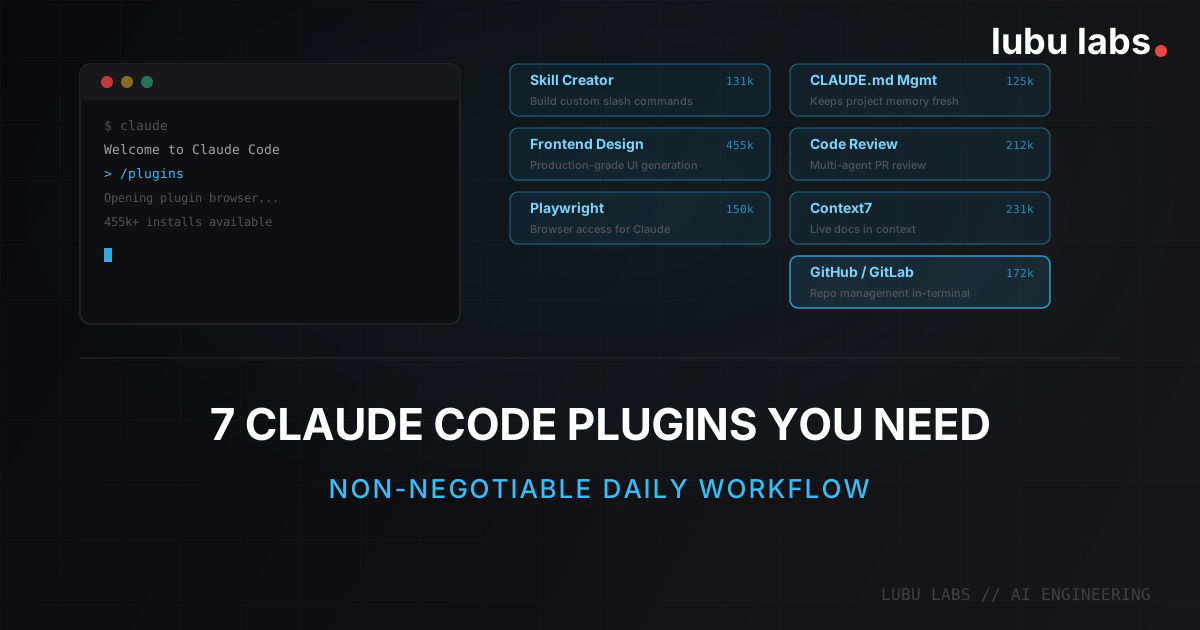
Claude Code's plugin ecosystem grew fast. Too fast. There are now over 140+ official plugins in the marketplace, ranging from deeply useful to "nice demo, never again."
I went through most of the official plugins. I installed, tested, and uninstalled a lot of them over the past months. Most are situational — great if you're on Supabase, or deploying to Railway, or working in a specific language. But seven of them I kept using across every project. These are the ones that changed how I actually work, not just what I can demo.
Here's the list, ordered by how they fit into a typical development workflow.
You can also explore PluginMarketplace.ai, a comprehensive claude plugin marketplace with the most installed connectors and plugins for 2026.
The 7 Plugins
1. Skill Creator — Teach Claude Your Team's Workflows
176k installs · claude.com/plugins/skill-creator
Claude Code ships with powerful defaults, but every team has workflows that don't map neatly onto generic commands. Skill Creator lets you encode those workflows as reusable slash commands. Your deployment checklist becomes /deploy. Your PR description template becomes /pr. Your security review process becomes /sec-review.
This is the meta plugin — the one that makes Claude Code yours. You define what a skill does, Skill Creator scaffolds the implementation, and from that point on the workflow is repeatable by anyone on the team. It also handles evaluating and benchmarking skills, so you can measure whether a skill is actually doing what you intended before rolling it out.
If you've ever found yourself repeating the same multi-step instruction to Claude across different sessions, that instruction belongs in a skill.
2. Frontend Design — UI That Doesn't Look AI-Generated
564k installs · claude.com/plugins/frontend-design
The most-downloaded plugin in the entire marketplace, and it earns it. The generic problem with AI-generated UI is that it looks like AI-generated UI: overly symmetric, generic color palettes, no visual hierarchy. Frontend Design specifically addresses this.
It gives Claude specialized knowledge of production design patterns, component library idioms, visual rhythm, and spacing systems. The generated code tends toward components that look like they came from a design system, not a template. Particularly useful when you're building something client-facing and don't want to spend cycles redesigning every component after generation.
Reality check: This plugin raises the floor of AI-generated UI significantly. It doesn't replace a designer — it makes the starting point defensible enough to iterate from rather than rebuild from scratch.
3. Playwright — Browser Access for Claude
180k installs · claude.com/plugins/playwright
This one changes what Claude Code can fundamentally do. Neither the terminal nor the desktop app gives Claude access to a browser (YET). Without Playwright, frontend work is blind: Claude writes the code, you manually verify it, you describe what's wrong, Claude guesses at fixes.
With Playwright, Claude can navigate to a URL, take screenshots, interact with forms, assert on DOM content, and catch visual states — all within the same conversation. The feedback loop for frontend iteration collapses. You describe what should happen; Claude implements it, tests it in the browser, and verifies the result without you switching windows.
For any project with a frontend component, this is a force multiplier. It pairs especially well with Frontend Design.
4. CLAUDE.md Management — Keep Your Project Memory Accurate
155k installs · claude.com/plugins/claude-md-management
Your CLAUDE.md file is what gives Claude persistent context about your project: architecture, conventions, key paths, preferred patterns. It starts accurate and gradually drifts as projects evolve — new dependencies, renamed files, refactored patterns.
CLAUDE.md Management audits your file against the current state of the codebase and surfaces what's stale or missing. It doesn't rewrite it blindly; it captures learnings from recent sessions and proposes specific updates. The result is a CLAUDE.md that stays synchronized with your actual project rather than the project you had six months ago.
At scale, this has a compounding effect: the more accurate your project context, the more accurate every Claude response that relies on it.
5. Code Review — Specialized Agents with Confidence Filtering
255k installs · claude.com/plugins/code-review
Generic code review from a single model prompt tends to be either too cautious ("looks okay to me") or too noisy (flagging stylistic preferences as bugs). Code Review runs specialized agents — security, logic, types, quality — each focused on a specific domain, with confidence-based filtering that suppresses low-certainty flags.
The result is pull request feedback that reads like it came from someone who actually knows what they're looking for, not a generalist scan. High-confidence issues surface clearly; uncertain observations are filtered out. It's a different category from "ask Claude to review my PR" — the structured multi-agent approach catches the things a single-pass review tends to miss.
Particularly useful before merging anything that touches critical paths.
6. Context7 — Live Docs in Context
268k installs · claude.com/plugins/context7
Claude's knowledge has a training cutoff. That's fine for stable APIs, but not for frameworks that ship breaking changes every few months. Without Context7, asking Claude about the latest Next.js 16 routing API might get you confident, outdated v13 syntax.
Context7 pulls live, version-specific documentation from source repos and injects it directly into the model's context at query time. You specify the library and version; it fetches the real docs. The difference in output quality for fast-moving ecosystems is significant — Claude stops hallucinating deprecated APIs and starts referencing the actual current behavior.
If you work with any framework that moves fast (Next.js, LangChain, Tailwind v4, React 19), this one pays for itself in the first session.
7. GitHub / GitLab — Close the Shipping Loop
GitHub: 200 installs · claude.com/plugins/github
GitLab: 26k installs · claude.com/plugins/gitlab
Pick the one that matches your stack — the idea is the same. Both plugins bring full repo management into Claude Code: create issues, open and review pull/merge requests, search repositories, manage labels, and access CI/CD pipelines — all without leaving the terminal.
The practical value is eliminating context switches. When Claude identifies a bug worth tracking, you create the issue immediately. When the branch is ready, the PR or MR gets opened from the same conversation where the code was written. GitLab users get additional depth on CI/CD pipeline management and wiki access, which makes it particularly useful for teams running their entire DevOps lifecycle through GitLab.
The workflow tightens from "write code → switch to GitHub/GitLab → create PR → paste description" to a single, uninterrupted session. It's the plugin that makes everything else feel complete.
How to Install
Getting any of these takes about 30 seconds:
- Open Claude Code (run
claudein your terminal, or use the desktop app) - Type
/pluginto open the plugin browser
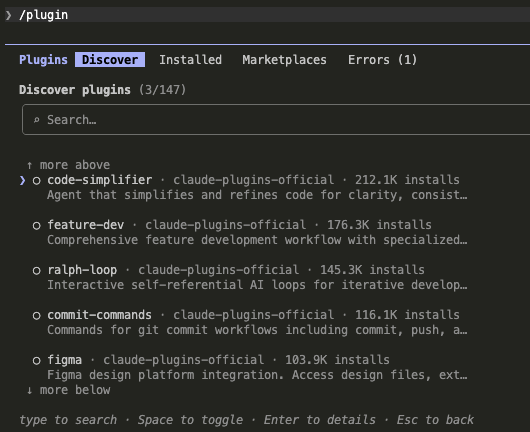
- Search for the plugin by name and install
All seven are available in the official marketplace. The full list of 140+ plugins is at claude.com/plugins — worth browsing if you use specific platforms like Supabase, Vercel, or Linear, which have dedicated plugins worth adding on top of these.
Takeaway
These seven cover the core of a software development workflow:
- Skill Creator — Encode your team's workflows as repeatable slash commands
- Frontend Design + Playwright — Build UI and verify it, all in one session
- CLAUDE.md Management — Keep project context accurate as the codebase evolves
- Code Review — Structured, confidence-filtered feedback before merging
- Context7 — Stop getting outdated API answers from fast-moving frameworks
- GitHub / GitLab — Ship without context switching
Start with these. Add vertical integrations (database, deployment platform, monitoring) once the baseline is solid. The compounding effect of the right seven plugins is genuinely different from running Claude Code without them.
Want to talk through how to get the most out of Claude Code for your engineering workflow? Book a call.